DSField NotesEA v0.4.23 live · level-up path corroborated
Current level-upSources agreeReady to usePlayer questionexpedition
Quick fix / Expedition route order
Dungeon Settlers level-up: XP full, use the Wooden Goddess Statue
Symptom / what you seeA settler has finished expeditions but no level-up button appears on the normal character panel.
Try this firstCheck XP in the portal screen, then return to the settlement. Use the Wooden Goddess Statue with the full-XP settler: choose Prayer, press Pray, select an Inscription, and press Accept. If the statue is missing, unlock it through Wood Processing → Carpentry → Wood Planks → Special.
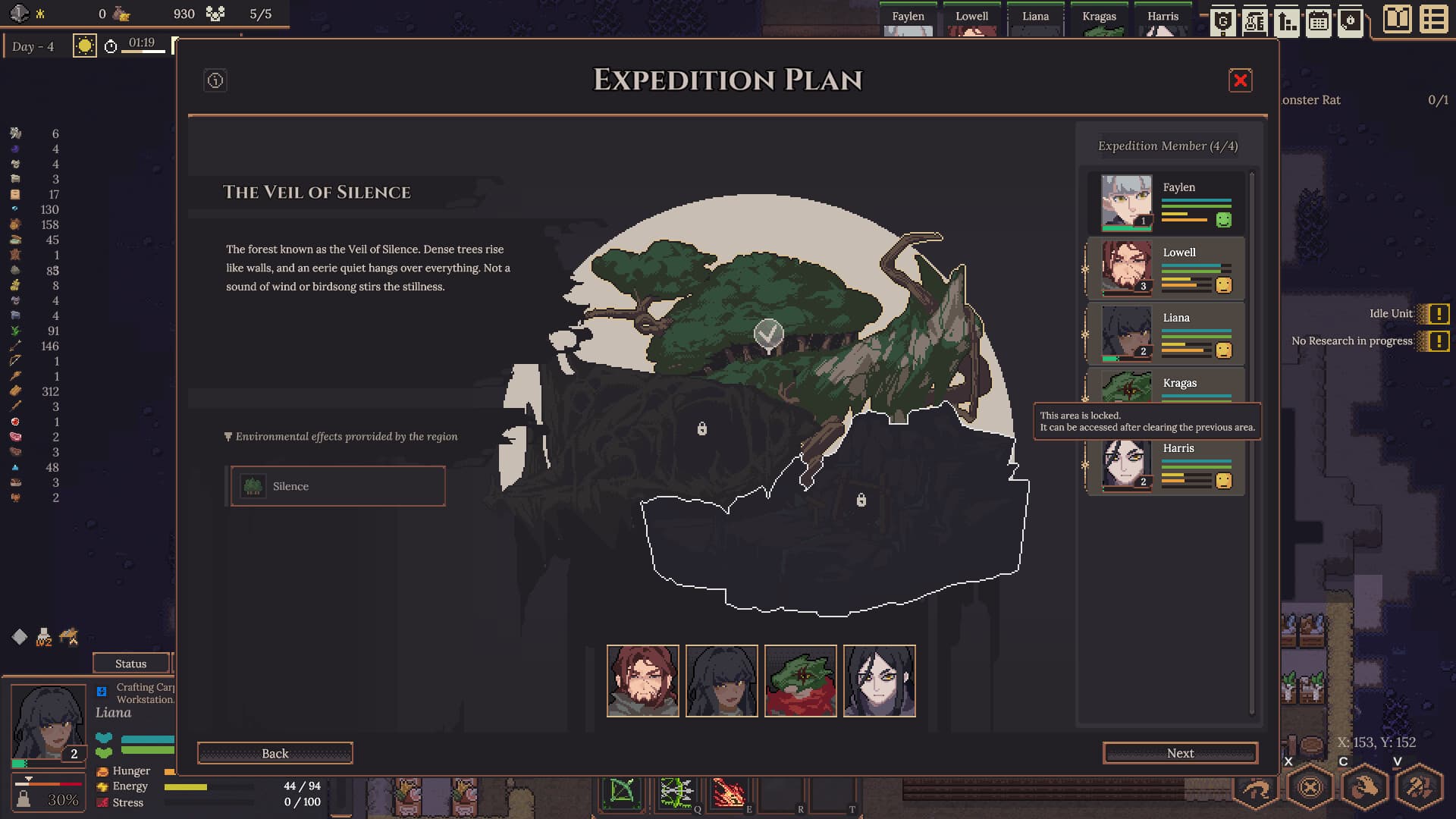
Expedition route orderPlayer questionOfficial image for context
01Most likely cause
Why it happens
Two independent current walkthroughs place the level-up interaction after a full portal-screen XP bar: return to the settlement, use the Wooden Goddess Statue with the selected settler, choose Prayer, press Pray, select an Inscription, and accept it. If the statue is missing, the same walkthroughs place its prerequisite chain at Wood Processing → Carpentry → Wood Planks → Special. A May Steam report corroborates the portal XP/Goddess boundary, but it is older evidence rather than the current path's only support.
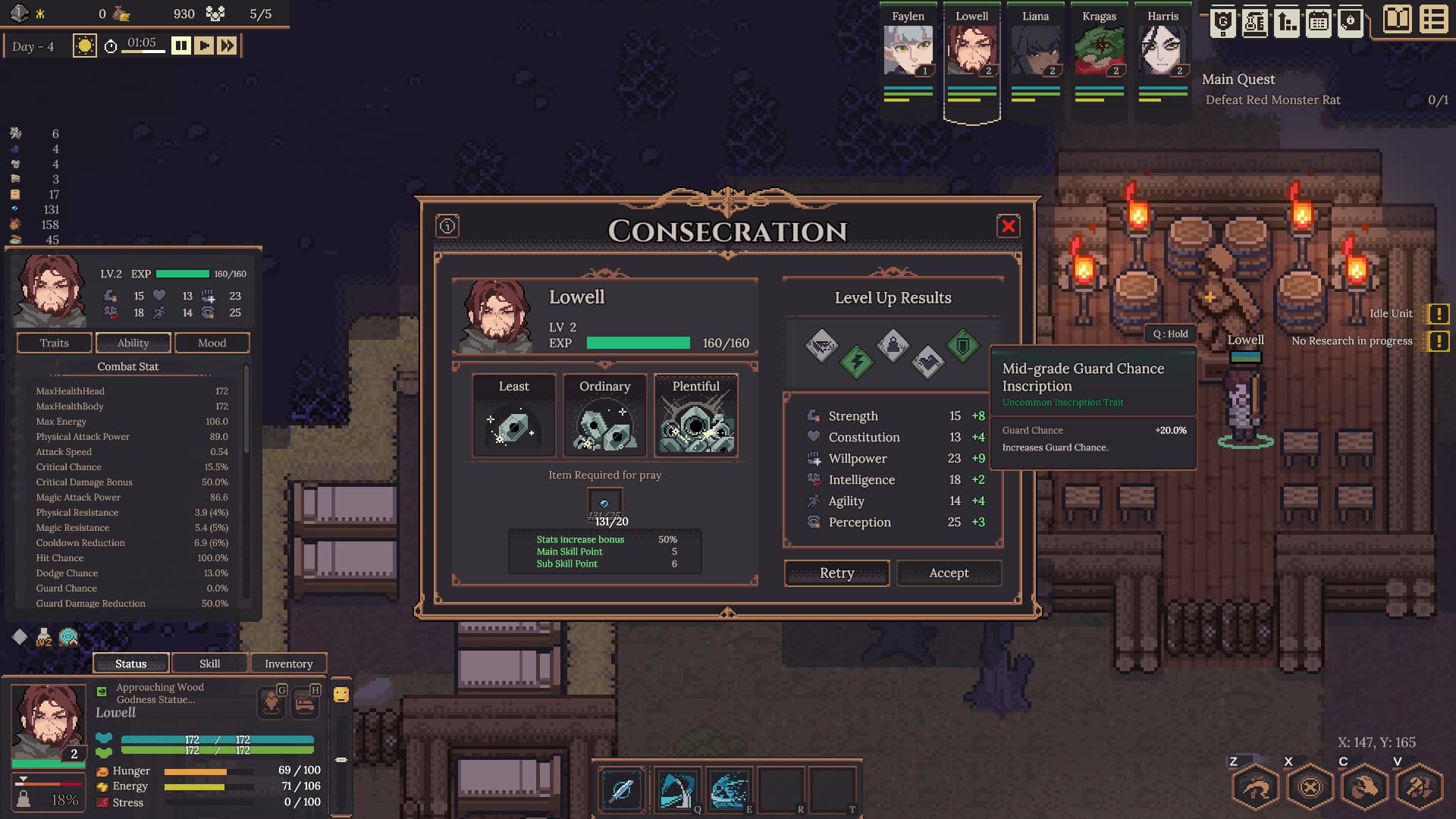
Current level-up path—fill XP, build the Wooden Goddess, pray, and accept one result.
01Open the portal or expedition screen and confirm the target settler’s XP is full before spending more expedition time.
02If the statue is missing, complete or inspect the settlement chain Wood Processing → Carpentry → Wood Planks, then open Special and build/select the Wooden Goddess Statue.
03Select the full-XP settler at the statue, choose Prayer, press Pray, and pay the Mana Stones shown by the current UI. The v0.4.23 Lock Consecration Results option is now a separate setting on every Management Difficulty and can be toggled during an ongoing campaign.
04Select an offered Inscription, then press Accept to commit the result. The exact XP threshold and Mana Stone cost can vary by build; follow the values shown by your UI.
03Success feedback
Know when it worked
The selected settler’s level changes and the accepted stat or buff result appears. A 30/30 XP display or 4-Mana-Stone prayer is an example from one guide, not a universal current requirement.
The Sep 7/11 original illustrated walkthrough documents Wood Processing → Carpentry → Wood Planks → Special/Wooden Goddess → select a full-XP character → Prayer with Mana Stones → accept the result.
The Sep 5 original author walkthrough independently shows the Wooden Goddess path, prayer, and result choice; its first 30/30 XP / 4-Mana-Stone screenshot is treated as an example, not a universal cost.
The May discussion is older corroboration for the portal-screen XP bar, Goddess Statue, prayer, and Mana Stones; it is not the sole current-build source.